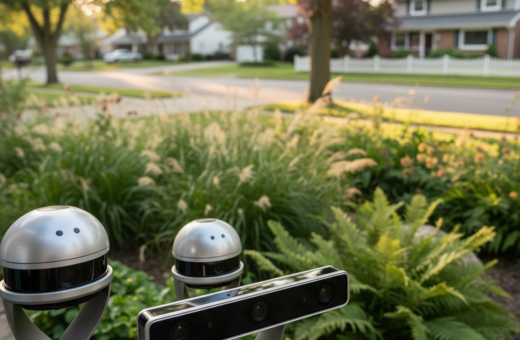
This field test looks at three recording systems side by side in a suburban backyard. The goal is to show how each setup behaves under real conditions and which option suits different needs. It focuses on trail camera performance, trigger speed, and day‑to‑night photo and video capture.
The team tested new models, including the Strike Force series, to compare image quality, battery life, and connectivity. They checked how lens range and sensor speed affect motion shots and how cellular links deliver clips to a smartphone. Results highlight which system handles fast movement, long trails, and heavy foliage.
Readers will find clear takeaways about performance versus price and practical tips for card choice, power options like solar panel setups, and the one best model for mixed yards. The introduction sets up a focused, data‑driven review for U.S. users planning an outdoor monitoring setup.
Introduction to Backyard Wildlife Monitoring
Today’s consumer devices capture clear images and video that help document species and behavior in suburban yards. Research groups such as ZSL, WWF, Fauna & Flora International, RSPB, and local Wildlife Trusts rely on similar systems for occupancy studies and long‑term monitoring.
Backyard monitoring has matured. Advanced trail camera systems now offer fast triggers, larger storage, and improved night vision. These features let users gather usable data without complex setups.
The right choice depends on goals. Beginners may favor lower price models for simple time‑lapse or motion clips. Professionals lean toward higher quality units with configurable sensors and robust storage.
“Camera traps provide a window into the secret lives of animals visiting gardens and green spaces.”
- Trusted groups deploy specialized cameras for population work.
- Trail cameras now capture both stills and smooth video for analysis.
- Selection hinges on sensor speed, lens range, and cost versus data needs.
Setting the Stage for a Wildlife Camera Comparison
A single backyard layout provided the constant conditions needed to evaluate each system’s real‑world performance.
Defining the Testing Environment
The team standardized placement, height, and angle so lighting and motion were consistent across trials. They ran tests at dawn, dusk, and night to capture both color and infrared performance.
Selecting the Three Systems
Three distinct systems represented budget, midrange, and pro price points. Each model offered different sensor sensitivity, lens range, and video options.
- Consistency: identical mounts and timer settings for all units.
- Variety: one low‑cost unit, one mid‑tier model, and one high‑end trail camera.
- Metrics: focus on trigger response, image capture, and data reliability.
Standardizing the yard ensured observed differences came from the gear. This setup makes the choice between models more meaningful for readers planning similar installs.
Evaluating Trigger Speed and Sensor Sensitivity
Fast triggers and smart sensors decide whether a moving subject becomes a usable clip or a missed opportunity. This section examines how response time and tuning affect capture rates in a suburban trail setup.
Minimizing False Triggers
Trigger speed proved the most important factor for capturing fast movement. The Strike Force series showed rapid response that saved many near-misses.
Sensor sensitivity changes the number of unwanted images. High sensitivity can fill cards with frames of swaying branches.
“A high-performance trigger system ensures that the device captures the subject immediately, preventing the frustration of missed shots.”
- Adjusting trigger settings reduced false triggers while still detecting small animals.
- The Sony A6400’s 425-point phase-detect AF highlights how advanced sensors improve tracking and low-light performance for both stills and video.
- Balancing sensitivity and delay delivers better overall performance without raising ongoing memory and power costs.
For a deeper look at sensor effects on detection rates, see the sensor sensitivity study.
Image Quality and Resolution Standards
A sensor’s megapixel count tells part of the story; its noise handling and dynamic range tell the rest. The Canon EOS R10 uses a 24.2MP APS-C CMOS sensor that delivers high-resolution images useful for cropping and detail work.
The Nikon Z6 III pairs a 24.5MP full-frame BSI CMOS sensor with broader dynamic range. That helps retain highlight and shadow detail in mixed light.
Practical note: shooters who need usable image detail in low light often push ISO to 3200–6400. Sensors that control noise at those settings preserve image quality for analysis and identification.
- Balance matters: high resolution with poor noise control yields large but unusable files.
- The R10’s resolution aids tight crops without losing clarity.
- Full-frame sensors like the Z6 III are better for identifying marks at distance.
“Maintaining consistent image quality across lighting scenarios is the hallmark of a top‑tier trail camera system.”
The Role of Infrared and Color Night Vision
Low-light capture methods determine whether nocturnal visits yield usable photos and video.
Infrared systems let trail setups record at night without a visible flash. This keeps animals calm and preserves natural behavior. Infrared often produces monochrome images with low disturbance.
Black Flash Technology
Black flash uses near‑infrared LEDs that remain invisible. It is ideal for sensitive sites where stealth matters. The trade-off is reduced color detail and lower contrast in some scenes.
White LED Flash Pros and Cons
White LEDs deliver true color at night. They improve identification and image quality for meatier analysis and clearer video clips.
However, visible light can startle subjects. That reaction may change animal patterns and reduce long‑term detection rates.
“Choosing the right night method balances image quality and the need to avoid disturbing subjects.”
- Pick black flash for stealth and minimal behavioral impact.
- Pick white LEDs for color detail and clearer identification when disturbance is acceptable.
- Match flash type to study goals and trail placement to optimize overall performance.
Battery Life and Power Management Strategies
Keeping power flowing is the simplest way to ensure continuous image capture and reliable video clips.
Maximizing battery life is vital for long deployments, especially when trail camera units sit in remote parts of a yard.
They tested power approaches that cut site visits. High-performance cameras drain batteries faster, so the team used high-capacity lithium packs for steady performance.
Integrating a solar panel made the biggest difference. With a properly matched solar panel, the trail setup ran for months with few hands-on checks.
“A small investment in power gear yields far fewer visits and far more usable images and video.”
- Use high-capacity batteries for units that record long video clips or frequent triggers.
- Pair batteries with a solar panel to extend deployment and lower maintenance costs.
- Maintain batteries seasonally to protect long-term life and system performance.
Proper battery care and the right power mix ensure the trail cameras deliver consistent quality over the seasons.
Memory Card Compatibility and Storage Needs
Choosing the right memory media can make or break a long deployment, especially when devices record both high-resolution stills and extended video.
Selecting cards means matching capacity and speed to the trail camera’s write requirements. Higher resolution images and long clips need more space and faster write speeds.
Managing High Capacity SD Cards
They tested how different cameras handle high-capacity cards to spot corruption and write delays. Some models accept 256GB or larger cards but slow writes during burst mode caused missed wildlife shots.
Balance storage and quality: reduce resolution or record shorter clips if card space is limited. Use high-speed UHS-I or UHS-II cards to avoid buffer bottlenecks.
“A fast, compatible card protects footage and keeps the unit recording during peak activity.”
- Format cards in the device before first use to ensure compatibility.
- Rotate cards and keep backups to prevent data loss in long deployments.
- Choose branded high-speed cards for consistent performance and reliability.
Field Durability and Weather Resistance
Durability in the field separates short‑lived gear from systems that keep collecting usable data season after season.
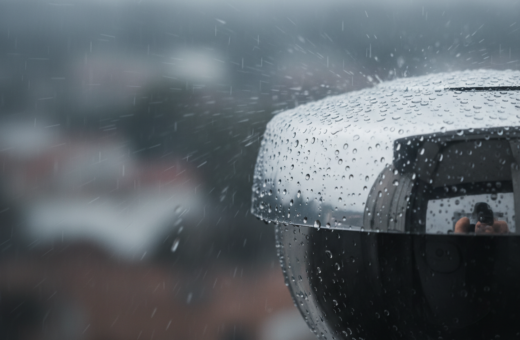
Every trail camera must stand up to rain, snow, and wide temperature swings in a backyard setting. The team stressed units with wet and dusty runs to check seals and internal protection.
The Strike Force model showed strong construction and reliable weather resistance during prolonged exposure. That robustness helped preserve stored images and video after heavy downpours.
Testing focused on moisture ingress, debris buildup, and corrosion risk. They opened housings after trials to confirm that connectors and boards remained dry and clean.
Why it matters: water or grit can corrupt files and shorten device life. Investing in durable cameras reduces site visits and keeps data quality high.
“A rugged unit preserves data and lowers maintenance, which pays back faster than buying cheap replacements.”
- Check seals and mounting points before deployment.
- Choose models rated for outdoor use and verified in real field tests.
- Factor long‑term performance into purchase decisions for sustained monitoring.
Ease of Use and Interface Design
An intuitive menu and clear on-screen prompts cut setup time and reduce field errors. The team scored each cam on menu clarity, labeled controls, and how quickly a user could change trigger sensitivity or video length.
Screen quality mattered most for fast adjustments. Models with bright, high-contrast screens showed readable menus in sunlight and low light. That improved first-time setup and reduced mistakes while mounting the trail camera.
Beginners benefited from plain-language options and preset modes. Simple layouts let them focus on placement and battery life instead of digging through deep menus.
- Quick tweaks: good interfaces allowed on-the-spot changes to trigger speed and video resolution without a laptop.
- Menu navigation: straightforward systems ranked higher for day-to-day use and better performance in active yards.
- Visual feedback: clear screen icons reduced the chance of missed images or wrong settings in low light.
“A well-designed cam interface lets users spend less time in menus and more time collecting useful footage.”
Cellular Connectivity Versus Local Storage
Real-time alerts change how users interact with a monitoring setup, but they depend on reliable data links. Choosing between a cellular option and on-device storage means weighing convenience against capacity and cost.
Data Transmission Speeds
Cellular systems push images and short video clips to a smartphone as soon as they record. This delivers near-instant updates and makes remote checks simple.
However, upload speed affects how quickly clips arrive and whether large video files complete. Lower speeds can delay alerts or force lower-quality uploads to save data.
Signal Strength Challenges
Coverage varies across yards. Dead zones or weak signals cause missed deliveries and higher retry rates.
- Use a cellular-ready trail camera where signal is strong to get reliable alerts to a smartphone.
- In marginal areas, local storage is the safer option for managing large volumes of images and video without fees.
- Combining both — local SD backup plus a cellular plan — balances convenience and long-term performance.
“A stable network is the difference between instant alerts and waiting for a full card swap.”
Lens Range and Field of View
Lens choice dictates how much of the yard shows up in each frame and which species you can reliably spot. A wider field of view captures more activity, while a longer focal length brings distant subjects into clearer detail.
The team tested different lens range settings to see how clarity changed with distance. They measured how close subjects needed to be for usable images and when the sensor lost detail.
Results showed a versatile lens span reduced blind spots and cut the need for extra units. Narrow lenses improved identification at distance but missed lateral movement. Wide lenses caught more motion but offered less detail per subject.
“Field of view is the practical metric that dictates detection area and the number of units needed across a property.”
- Wide range lenses suit open gardens and general coverage.
- Tele lenses help when the trail or perches sit far from the mounting spot.
- Balanced setups with mixed lens options maximize both images and video capture.
For readers wanting lens recommendations, see this guide to the best camera lenses to match range and sensor performance to their trail camera needs.
Analyzing Video Performance and Frame Rates
Capturing motion at fast fps reduces blur and lets analysts inspect tiny gestures in detail.
High frame rates change how a unit records fast subjects. The Canon R7 offers 15 FPS mechanical and 30 FPS electronic shooting, which helps convert quick runs into smooth video. The Nikon Z50’s 11 FPS still gives reliable burst shots for those starting out.
Optimizing Audio Capture
Good audio adds context. Microphone placement and wind protection improve recorded sound quality without altering the visual performance.
- Maintain high fps to retain motion clarity while ensuring the unit writes files without dropping frames.
- Use wind mufflers and firm mounts to keep audio usable at dawn and dusk.
- Balance resolution and fps so the device preserves image quality and keeps file sizes manageable for long deployments.
“High fps and clean audio together make review and slow‑motion analysis far more effective.”
Mounting Options and Placement Tactics
A stable mount paired with repeatable placement tactics boosts long‑term field performance.
Secure attachments—straps, adjustable arms, and lock boxes—keep a trail camera steady in wind and during animal contact. Proper hardware lowers the chance of shifted angles that spoil images and video.
They tested the Strike Force series on low branches to capture unique approach angles for small mammals. That placement delivered more side‑on views and improved identification while keeping disturbances low.
Flexibility matters. Swivel mounts, pole brackets, and corner clips let users experiment with height and tilt until the detection zone matches a known trail. Small changes in angle often yield big improvements in trigger reliability.
“Test multiple placements to see which configuration yields the most consistent and high‑quality data.”
- Use straps or tamper‑resistant mounts for long deployments.
- Try low‑branch and mid‑trunk positions to vary perspective and coverage.
- Record each setup with notes so repeatable placements are simple to recreate.
Price Versus Performance Considerations
Price tags tell only part of the story; true value shows up in steady, dependable operation.
Balancing cost and performance is the hardest choice when picking a trail camera. Higher price often brings advanced features and faster trigger response. But those gains must match the user’s goals.
They compared several models to find which delivers usable video and stills for a typical backyard trail setup. Often a mid-range model proved the best option for steady day/night performance without excessive upkeep.
- Evaluate price versus real use: avoid paying for features you will not use.
- Check performance metrics: trigger speed, battery life, and upload reliability matter most.
- Pick a model that fits deployment: a balanced choice reduces maintenance and yields reliable results.
“A sensible purchase gives strong performance in the field without a premium price.”
In short, readers can capture high-quality wildlife images and video on a modest budget by matching a model’s strengths to their trail needs.
Lessons Learned from Real World Testing
In real yards, environmental factors frequently shape which models deliver usable photos and steady video.
Trigger speed proved as vital as resolution. Fast response captured fleeting moments that high megapixels alone could not save.
Placement and tuning changed results dramatically. A well‑set device recorded more usable images across varied light and weather.
- Different models excel in specific field conditions; select gear that matches terrain and season.
- Patience and repeated tests build a stronger photo library over months.
- Consistent performance beats occasional high‑quality shots for long‑term projects.
“Documenting these lessons helps others improve monitoring projects using practical trail camera techniques.”
These real‑world takeaways emphasize speed, steady operation, and thoughtful placement to maximize image and video yield. By following them, users can improve project results with fewer site visits and more usable photos.
Conclusion
This final summary pulls together practical lessons from side‑by‑side tests to help select gear that performs reliably on a busy suburban trail. Choosing the right camera and settings matters more than chasing top specs.
They identified one best approach that balances price and performance for steady photo and video capture. Regular field testing showed which cameras handle local light, motion, and power demands.
Apply these lessons to tune placement, power, and storage. Small changes yield more usable footage and fewer site visits. Readers are encouraged to keep experimenting to refine a trail setup and improve long‑term results.